
Howdy, Stranger!
It looks like you're new here. If you want to get involved, click one of these buttons!

Categories
In this Discussion
- Eugene Balabuev (LMD) June 17
- Yuriy Schulga June 17
TElXTree scrollbar bug
I found that the horizontal scrollbar is not
displayed correctly in the ElXTree components and its derivatives when using
some VCL styles.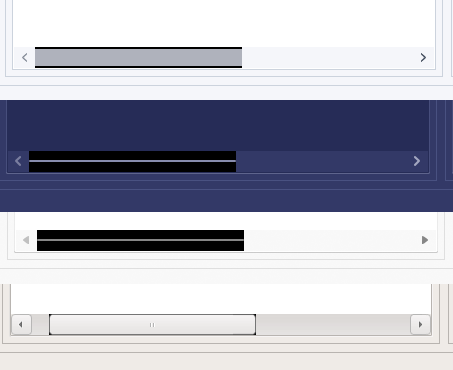

displayed correctly in the ElXTree components and its derivatives when using
some VCL styles.
I also use the HighlightAlphaLevel=100 property.
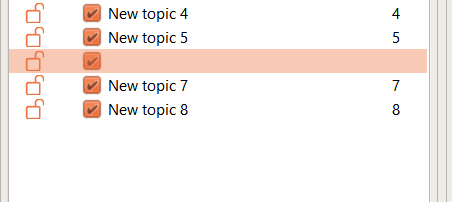
And with light VLC Styles it looks like this:
And with light VLC Styles it looks like this:
That is,
the text disappears from the second and third columns.
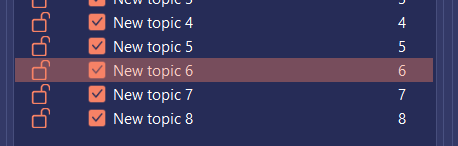
Dark styles
seem to display everything correctly.
In addition, the plus/minus is not drawn from the VCL style.
And one more remark, if I may. In ElXTree.pas in lines 6899-6909, when you change the code to the one below, the appearance looks better:
if HasFocus then
begin
if UseVCLStyles then
LFill := VclStyleServices.GetSystemColor(clHighlight)
else
LFill := FOwner.FocusedSelectColor;
end
else if not FOwner.HideSelection then
begin
if UseVCLStyles then
LFill := VclStyleServices.GetSystemColor(clHighlight)
else
LFill := FOwner.HideSelectColor;
end;
png
png
ElXTree1.png
12K
png
png
ElXTree2.png
11K
png
png
ElXTree3.png
10K
png
png
ElXTree4.png
2K
Comments